Explore Map: See Where Fazool Is Growing
You signed up. You filled out your profile. You swiped through a few people nearby. Then the thought hits: is anyone even on this app in my city? What about the city I am moving to next month?
Most dating apps give you zero visibility into where their users actually are. You either see people in your feed or you do not. If the feed runs dry, you are left guessing whether the app is dead in your area or whether you just need to adjust your filters.
Fazool built the Explore Map so you never have to guess.
How it works
Tap the compass icon in the Discover tab and you land on a full-screen map. Bubbles show where Fazool users are concentrated, sized by how many people are in each area. Zoom out to see countries, zoom in to see regions, zoom in further to see cities.
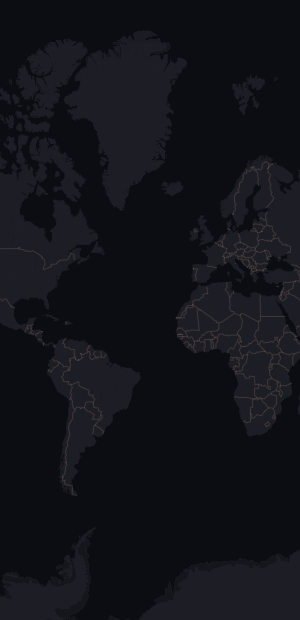
The Explore Map showing country-level density bubbles
The map uses three zoom tiers. At the widest view you see countries. Pinch in and the bubbles shift to show regions or states. Pinch in further and you get individual cities. The tier label in the top right updates as you zoom so you always know what level you are looking at.
What the numbers mean
Each bubble shows a rounded count of users active in that area within the last 30 days. The numbers are deliberately imprecise. A bubble showing "250" might represent 240 or 260 people. Small areas with very few users do not appear at all.
This is by design. The map is meant to answer "is Fazool active in this area" and "roughly how many people are there," not to pinpoint individuals.
Zooming into a city
Tap any bubble and the map zooms in one tier. Tap the United States and you see states. Tap Texas and you see cities.
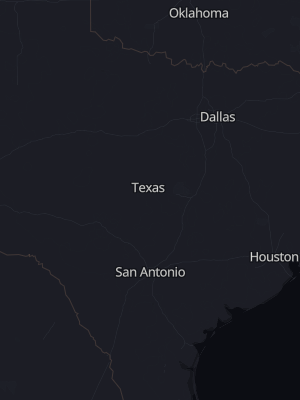
Zoomed into Texas: city-level bubbles for Houston, Dallas, Austin, and San Antonio
This is useful for planning ahead. If you are relocating for work or school, you can check your destination city before you get there. If a city has no bubble, that does not necessarily mean zero users; it means the count was too small to display without risking privacy.
Privacy is not an afterthought
The map was built around a concept called k-anonymity. Every bubble on the map must represent at least a minimum number of users. If a city has fewer than that threshold, the bubble is suppressed entirely. No one can look at a map bubble and narrow down who it might be.
Coordinates are also rounded so the bubble centers do not correspond to any real user's GPS location. And the counts you see are for users who match your gender-of-interest preferences, not all users on the platform. A person looking for women sees different numbers than a person looking for men.
None of this data is real-time. The map refreshes from a snapshot that is rebuilt every 15 minutes. You are seeing a recent aggregate, not a live tracker.
Two map styles
The map ships with two visual styles: a dark mode and a tinted warm mode. Toggle between them with the sun/moon button in the top bar. Your preference is saved across sessions.
Both styles use a self-hosted tile server running OpenStreetMap data. No map requests go to Google, Apple, or Mapbox. The basemap loads from the same infrastructure that handles calls and face verification, all on servers that Fazool operates directly.
Why build this at all?
Most apps hide their user distribution because the numbers are not flattering. A map that shows sparse bubbles in most cities is not a great marketing asset.
We built it anyway because transparency builds trust. If Fazool has 25 users in Austin, you should know that before spending a week swiping. And if it has 250 in Houston, that is useful information too. Maybe you change your distance filter. Maybe you tell a friend in that city to sign up.
The map turns "is this app worth my time here?" from a gamble into a glance.
Related: What is Fazool? | Why Fazool limits likes and matches | How calls work on Fazool